No account needed. Explore and edit a workspace filled with sample data.
2 active games · 8 invited members · 100 GB. No payment setup.
Kanban · issues, owners and progressIncluded in Free
Built and used daily at Cranky Alien GamesReal Orbit interface, shown with demo project data.
THE FREE WORKSPACE, IN DETAIL
See how your team can work in Orbit.
From the first task to a release: explore the tools for production, people and everyday collaboration. These modules are included in Free, within your workspace’s game, member and storage limits.
Tasks & issues
Included in Free
Give every task a clear next step.
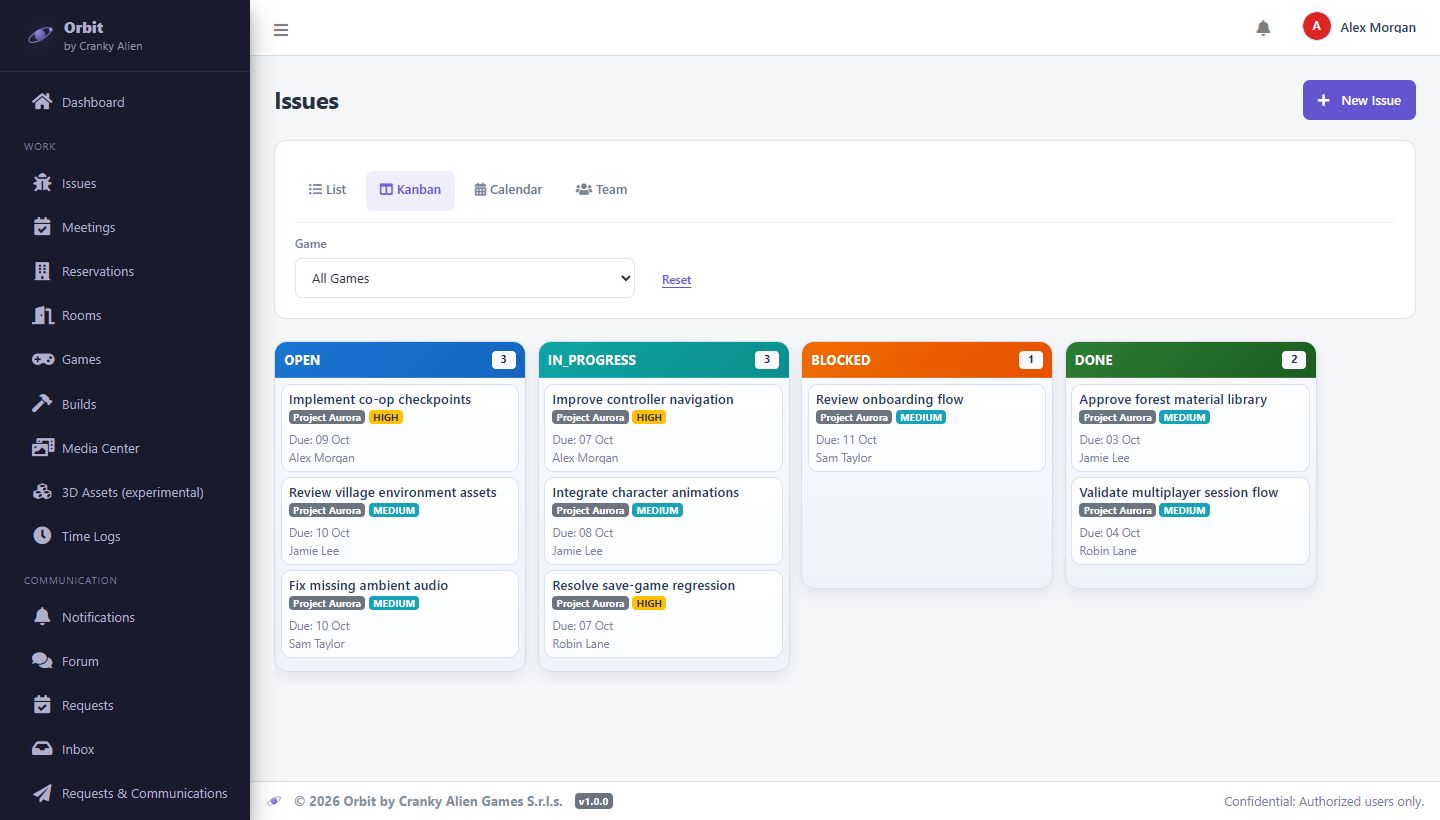
Keep bugs, production tasks and deadlines together. Switch views as you plan the work, review progress or coordinate individual assignments.
Four views of the same work
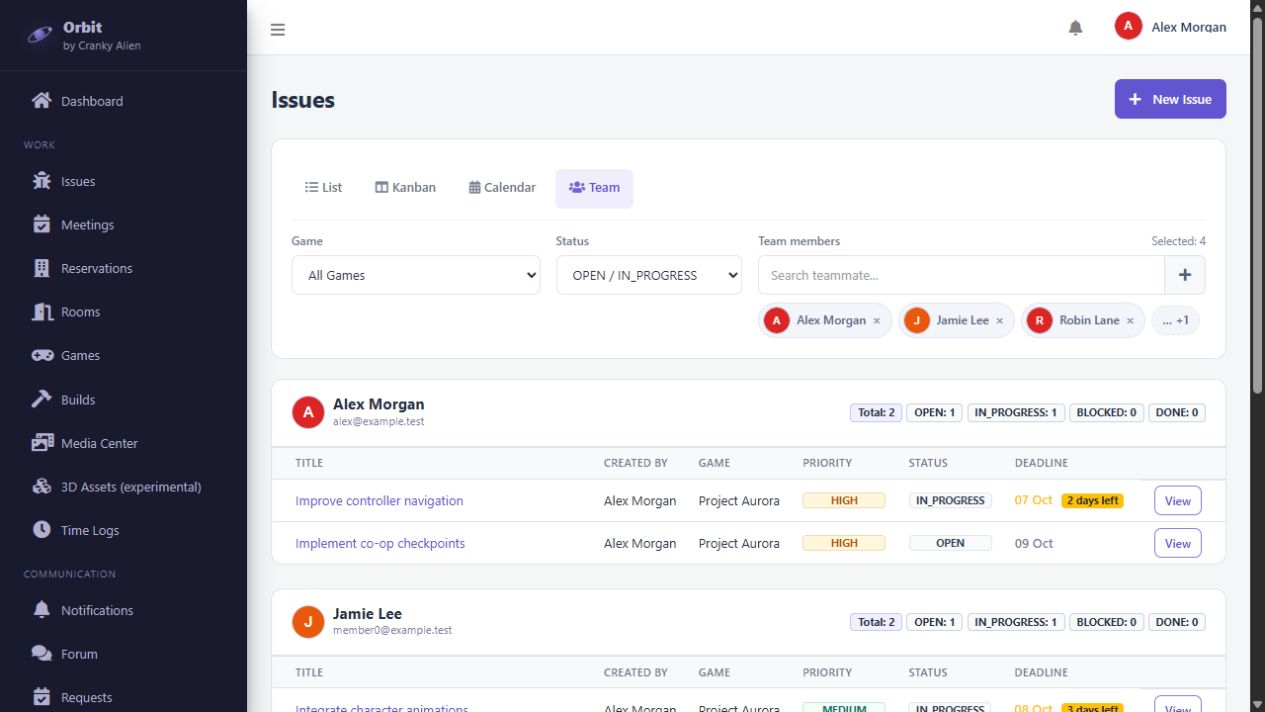
Use lists, Kanban, the calendar and the team view without maintaining separate task boards.
Ownership and priorities
Assign people, set a priority and a due date, and filter work by game or status.
Visible progress
Follow issues from open to in progress, blocked and completed. Keep the work that needs attention in view.
Real Orbit interface · demonstration project and data
Games & releases
Included in Free
Know where each release stands.
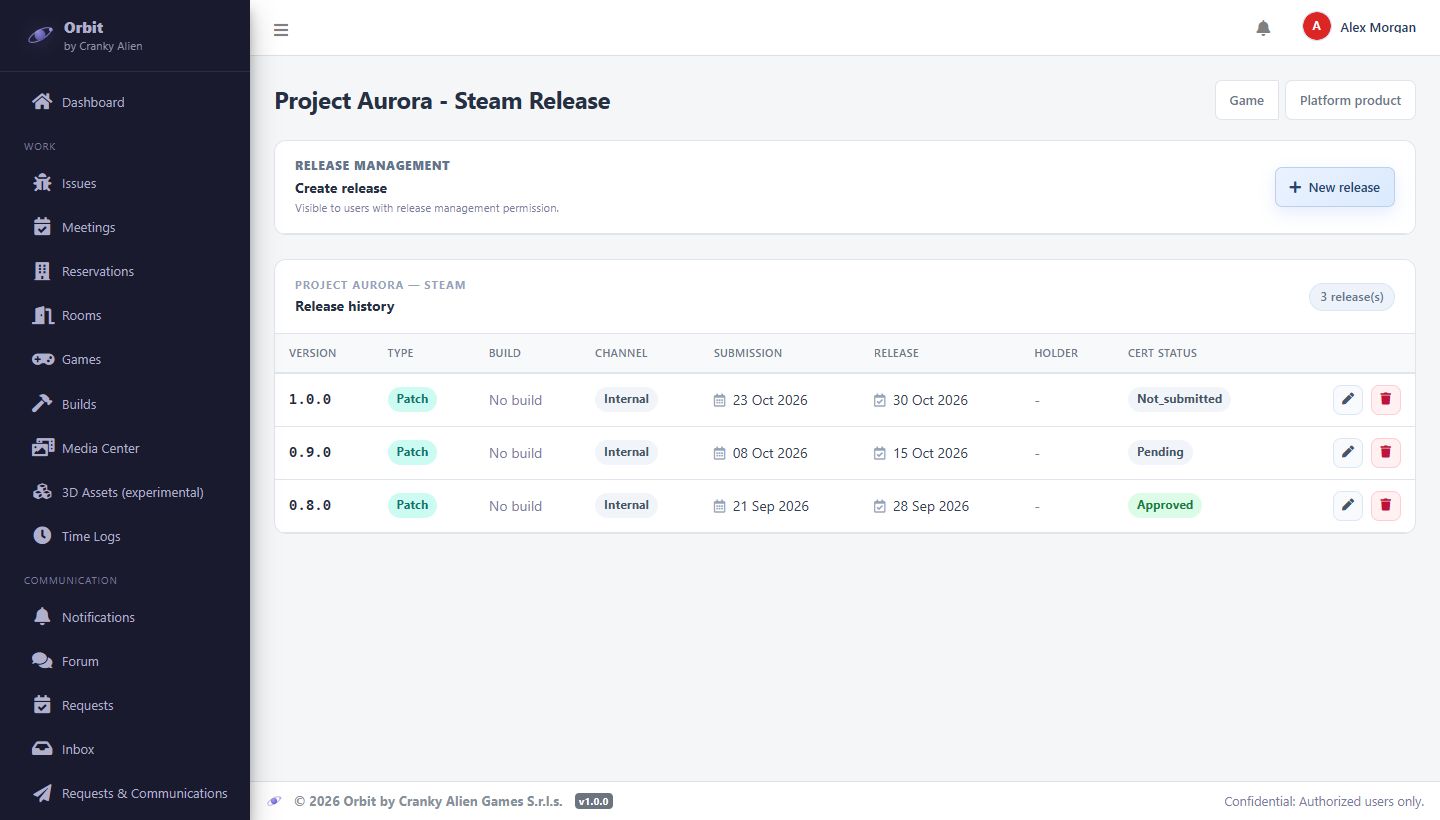
A game can have different versions and deadlines on different platforms. Keep that history in Orbit so the team can see what has shipped and what is still being prepared.
A history for each platform
Track release versions against the relevant game and platform, instead of relying on a separate spreadsheet.
Submission and certification
Keep submission dates and certification status with the release they refer to.
Publication dates
Review planned and completed releases with the dates and context the team needs.
Release management is included in Free. Automated build and delivery integrations are available through Sales.
Real Orbit interface · demonstration project and data
Team & availability
Included in Free
Plan around the people doing the work.
Bring assignments, working hours and scheduled meetings into the same workspace. Give coordinators the information they need to organize work across the team.
Working hours and time zones
Set the organization’s weekly schedule and individual exceptions, with the appropriate time zone.
Absences and holidays
Bring planned absences and holidays into availability planning. Management views follow the workspace’s permissions.
Meetings with context
Schedule the agenda, game, host, participants and room. Keep dates and attendance responses together.
Real Orbit interface · demonstration project and data
Communication
Included in Free
Keep decisions close to the work.
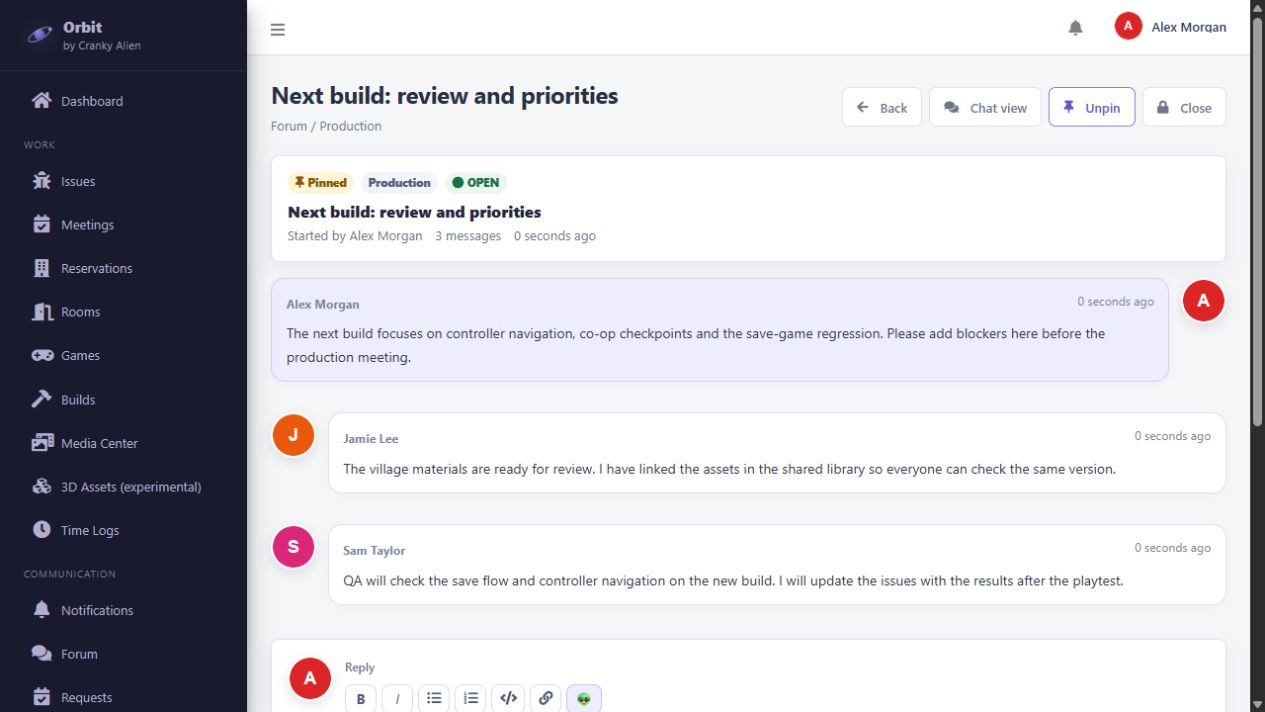
Give reviews, questions and updates a place the team can find again. Move from written discussions to a room when you need to talk through a problem together.
Forum, replies and shared context
Organize discussions by category, exchange replies and attachments, and pin threads the team needs to find quickly.
Rooms for live collaboration
Use audio, video and screen sharing, with whiteboards and shared notes for reviews and working sessions.
Discord integration and bot
Connect Orbit messages and updates to the Discord channels your team already uses. Integration and the bot are included in Free.
Real Orbit interface · demonstration project and data
Media & 3D assets
Included in Free
From an asset review to an engine package.
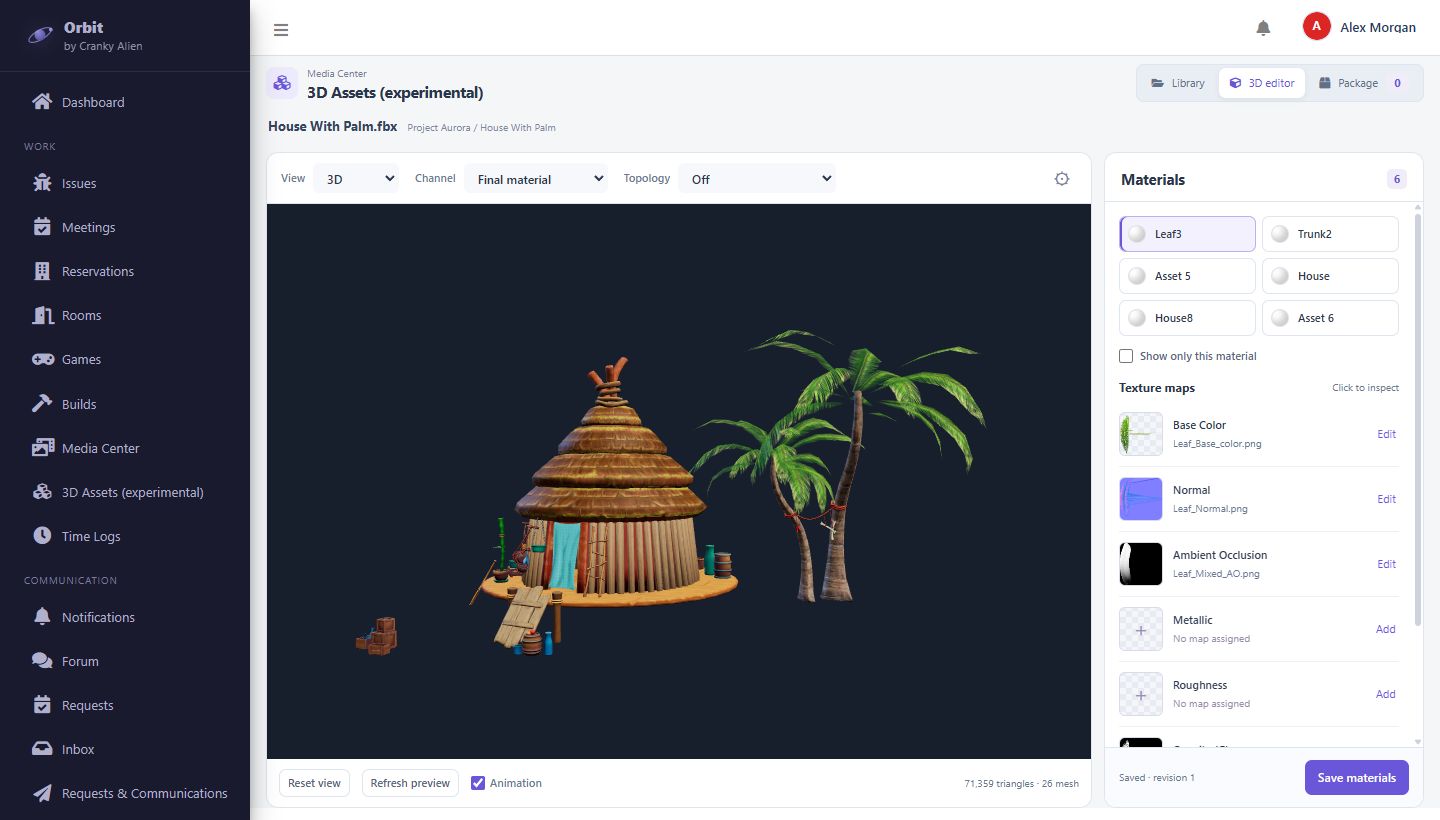
Upload models and textures, review them in the browser and prepare the files for development. The 3D tools, public viewer links and engine package exports are available in Free.
Inspect models and materials
View 3D models, inspect their materials and texture maps, and review the asset without opening the game project.
Share a public preview
Send a public viewer link so a collaborator can inspect the asset directly in a browser.
Prepare Unity and Unreal packages
Select models and textures, choose an available export profile and use a connected runner. Original files can also be downloaded as a ZIP.
The 3D tools are currently experimental. Engine exports depend on the profiles and runner configured for the workspace.
Real Orbit interface · demonstration project and data
Documentation
Included in Free
Make the project’s references easy to find.
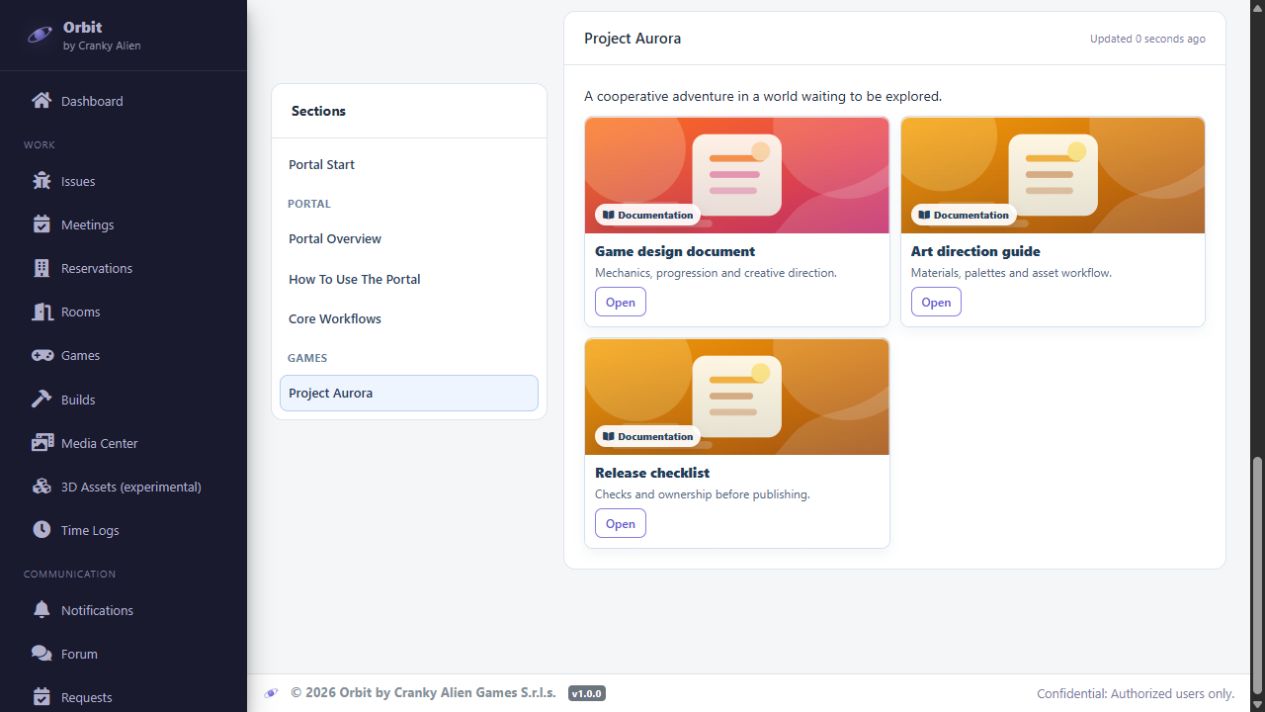
Give each game a home for its documentation links, alongside the portal guide. New collaborators and existing team members can start from the same references.
Documentation organized by game
Group design documents, art guidelines, technical references and release checklists with their project.
Keep your existing sources
Link the documents the team already maintains, with a title and description that explain what each resource contains.
A guide for getting started
Keep instructions for using Orbit and its main workflows alongside the project’s documentation.
Real Orbit interface · demonstration project and data
Advanced infrastructure · Contact Sales
Connect builds, Remote Play and automated tests.
Add CI/CD, Remote Play and test automation around your repositories, engine and target platforms. Sales works with your team to define the integration and capacity you need.
Revision→Build→Test→Remote Play→Release
01
CI/CD
Automate builds and connect revisions, build history and artifacts to the game. Define the integration around your repositories and production workflow.
02
Remote Play
Give distributed teams a way to play builds remotely on dedicated hardware. Bring development, review and playtesting closer to the same build environment.
03
Test automation
Connect automated Unity test suites to the build workflow, with results and logs in Orbit. Define whether failed checks block the build or are reported for review.
Integrations are configured for your project. Supported targets and capacity are agreed with Sales.
Falcon · Dedicated hardware
Dedicated hardware for your production workflow.
We supply and configure Falcon machines for automatic builds, Remote Play and automated tests. Hardware and integration are defined around your project’s requirements.
Workspace limits apply to active games, invited members, and Media Center storage.
Built to grow with your studio
Start with your next task. Scale to your production pipeline.
Use Orbit as a solo developer, bring a team together or coordinate a larger studio. Start with the free workspace and discuss capacity and infrastructure around your games, people and workflows.
Before you get started
A few useful answers.
Is Orbit for solo developers or larger teams?
Both. You can use the free workspace for your own projects or invite a team. For larger production needs, discuss workspace capacity and infrastructure with us so Orbit can grow with your studio.
Are 3D assets, engine exports and collaboration really free?
Yes. Free includes 3D uploads, browser viewing, public links, Unity and Unreal package exports, Discord integration and bot updates, team availability, rooms and meetings, alongside the core workspace tools. The free workspace's game, member and storage limits still apply.
What do I need to contact Sales for?
Contact Sales to integrate CI/CD, Remote Play and test automation. We also discuss dedicated Falcon hardware when your workflow calls for it. These services are scoped for your environment and are separate from the free workspace.
Do I need to buy Falcon to use the free workspace?
No. You can start with the free workspace and its included tools. Falcon is a dedicated hardware option for teams that need an integrated setup for automatic builds, Remote Play and test automation. Talk to Sales about the right configuration.
How do Unity and Unreal exports work?
Engine exports are included in Free and use the export profiles available in your workspace. The engine package is processed by a connected runner; the available formats depend on that configuration. Originals can also be downloaded as ZIP.
Put Orbit to work on your next game
Create your game’s workspace.
Add a game, create your first task and invite your collaborators. Start with the free workspace.
Tell us about your engine, repositories, target platforms and team. We’ll discuss a setup for CI/CD, Remote Play, automated tests and, if needed, dedicated Falcon hardware.